Turn expiring stock into revenue.
Expiry date, batch and lot tracking that recovers lost revenue.
Free for up to 25 active lots. 14-day free trial on paid plans.
Shopify treats every unit of a product as the same. If you sell supplements, coffee, specialty food, pet food or skincare, that means stock expires on the shelf, short-dated items ship to customers, and a bad batch turns into guesswork.
Expiry Saver adds batch and lot tracking with expiry dates to your Shopify inventory and puts one number first: how much money you are about to lose, and how much you got back.
Set up in about 5 minutes.
- 1
Pick your products
Choose which products to track by batch and expiry date.
- 2
Add your lots
Enter lots by hand or import them from a spreadsheet with the CSV template.
- 3
Choose your markdown rule
Set how much to mark down, how many days before expiry, and the margin floor it never goes below.
Sell it before it expires.
Track every batch and lot with its expiry date, ship FEFO (first-expired, first-out), and see how much money is at risk before the expiration date hits. Expiry Saver marks down short-dated stock, never below your margin floor, shows "best before" dates on your product pages, and reports exactly how much revenue it recovered.
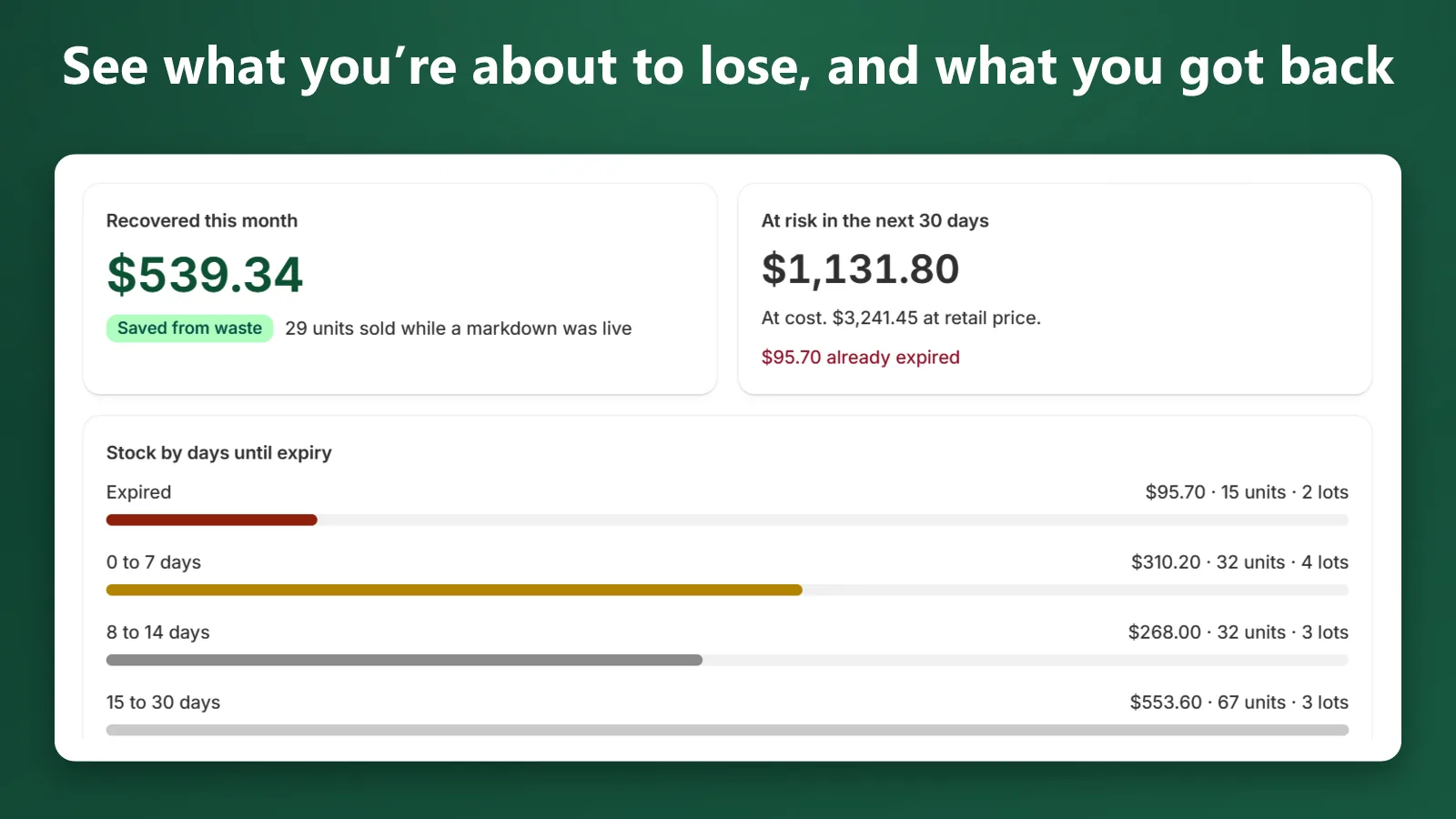
See what you're about to lose, and what you got back.
Every lot is valued at cost and at retail, grouped by days until expiry: expired, 0 to 7, 8 to 14 and 15 to 30 days. "Recovered this month" shows revenue from units sold while a markdown was live.
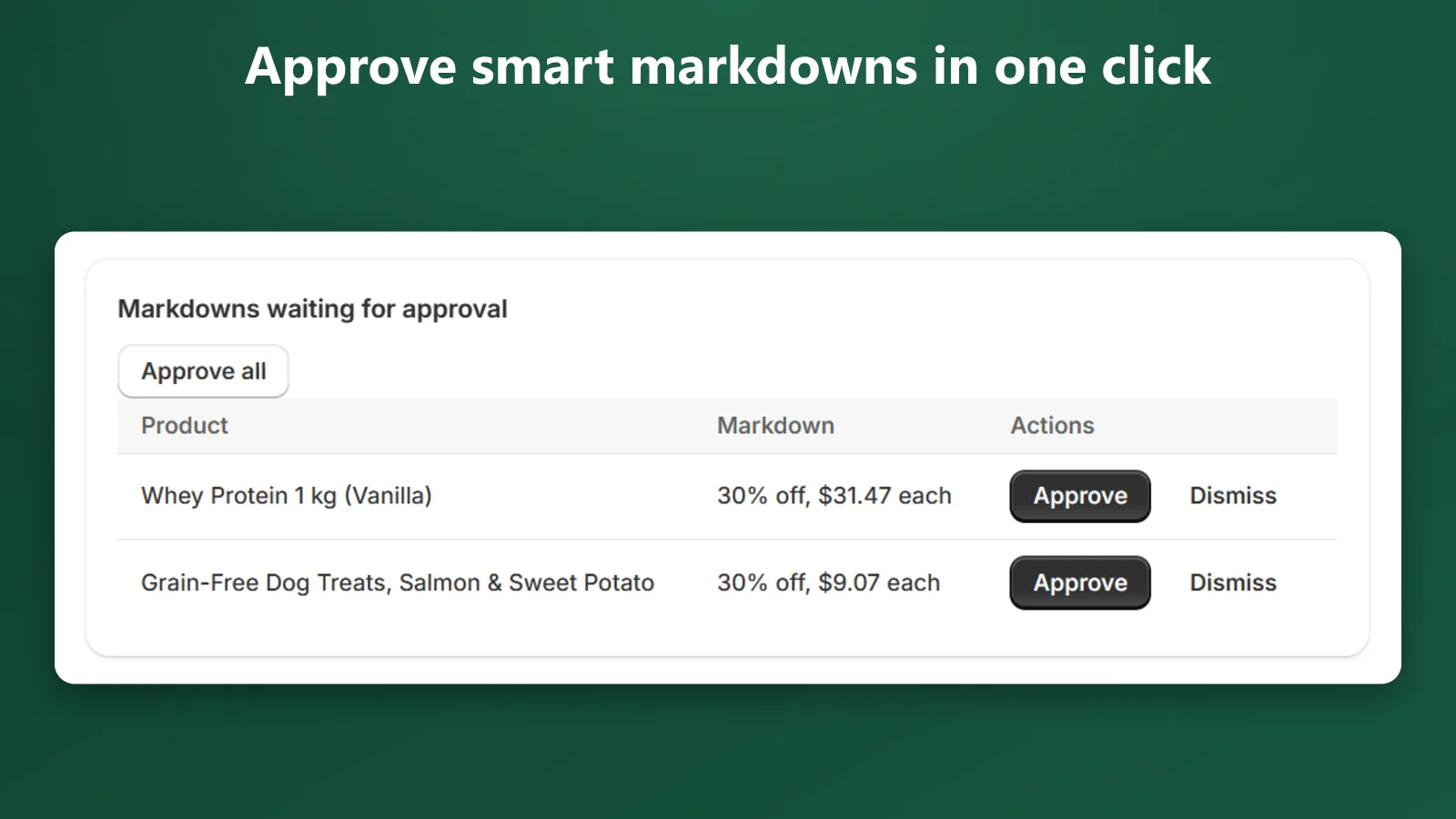
Approve smart markdowns in one click.
Set a rule such as "30% off, 14 days before expiry, never below 10% over cost". Approve each markdown with one click, or let it run automatically.
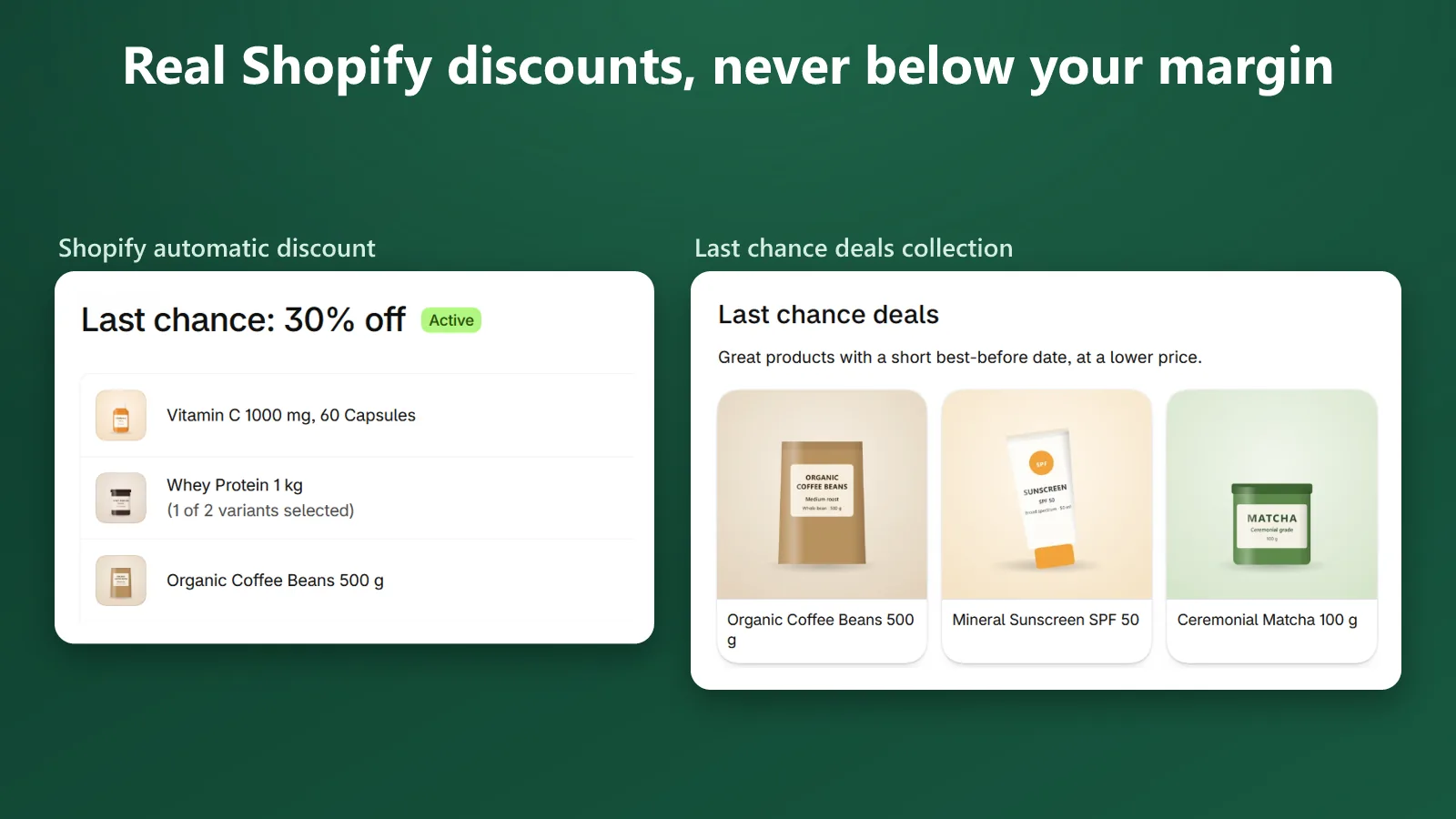
Real Shopify discounts, never below your margin.
Expiry Saver creates native Shopify automatic discounts and a "Last chance deals" collection, and ends the markdown when the lot sells out or expires.
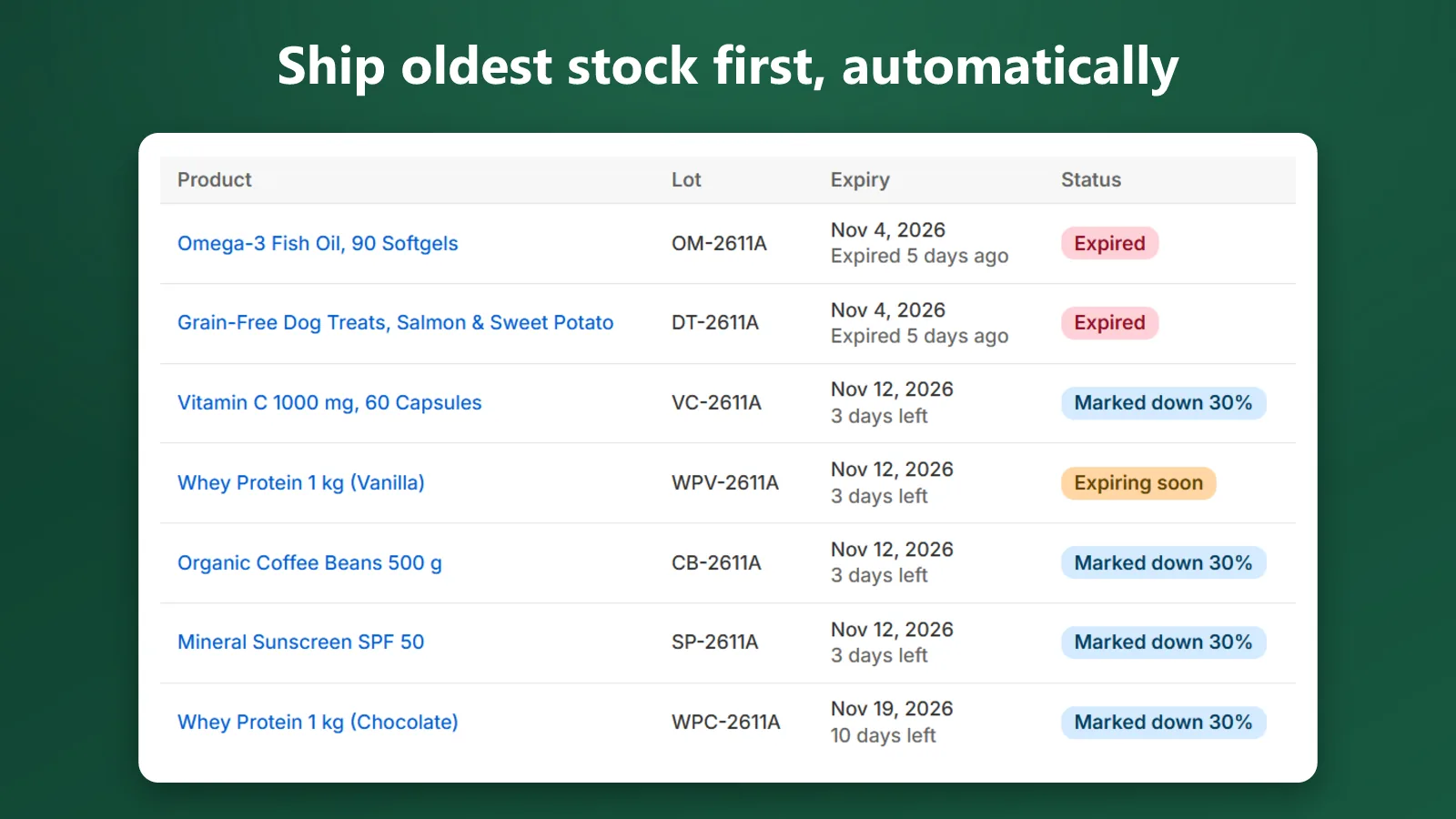
Ship oldest stock first, automatically.
Orders take units from the lot that expires soonest at the location that ships them, including POS orders, partial fulfillments, refunds with restock and cancellations. Expired and quarantined lots are never used.
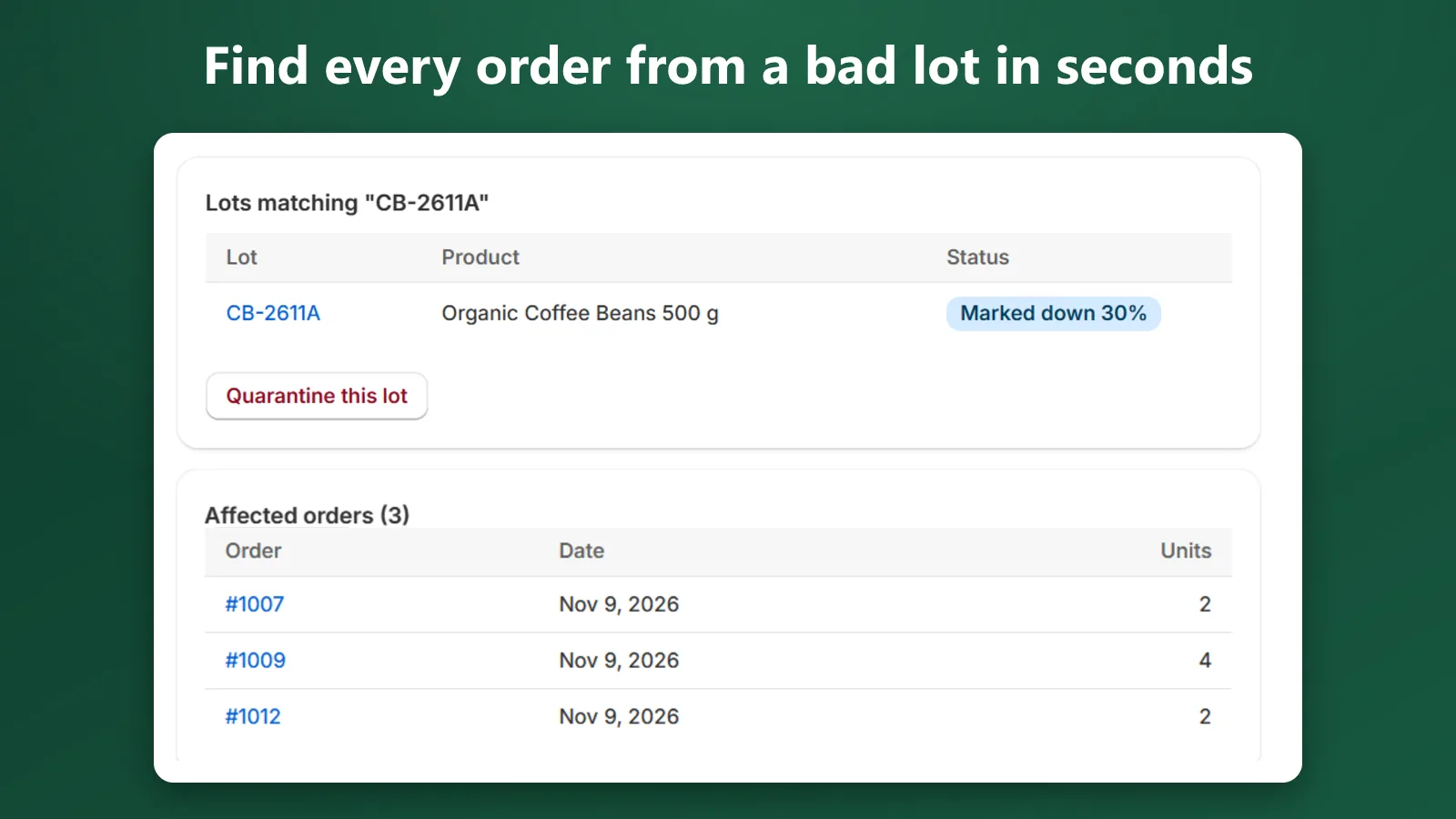
Find every order from a bad lot in seconds.
Search a lot or batch code to see every order that received it, export the list with links to each order, and quarantine the lot in one step.
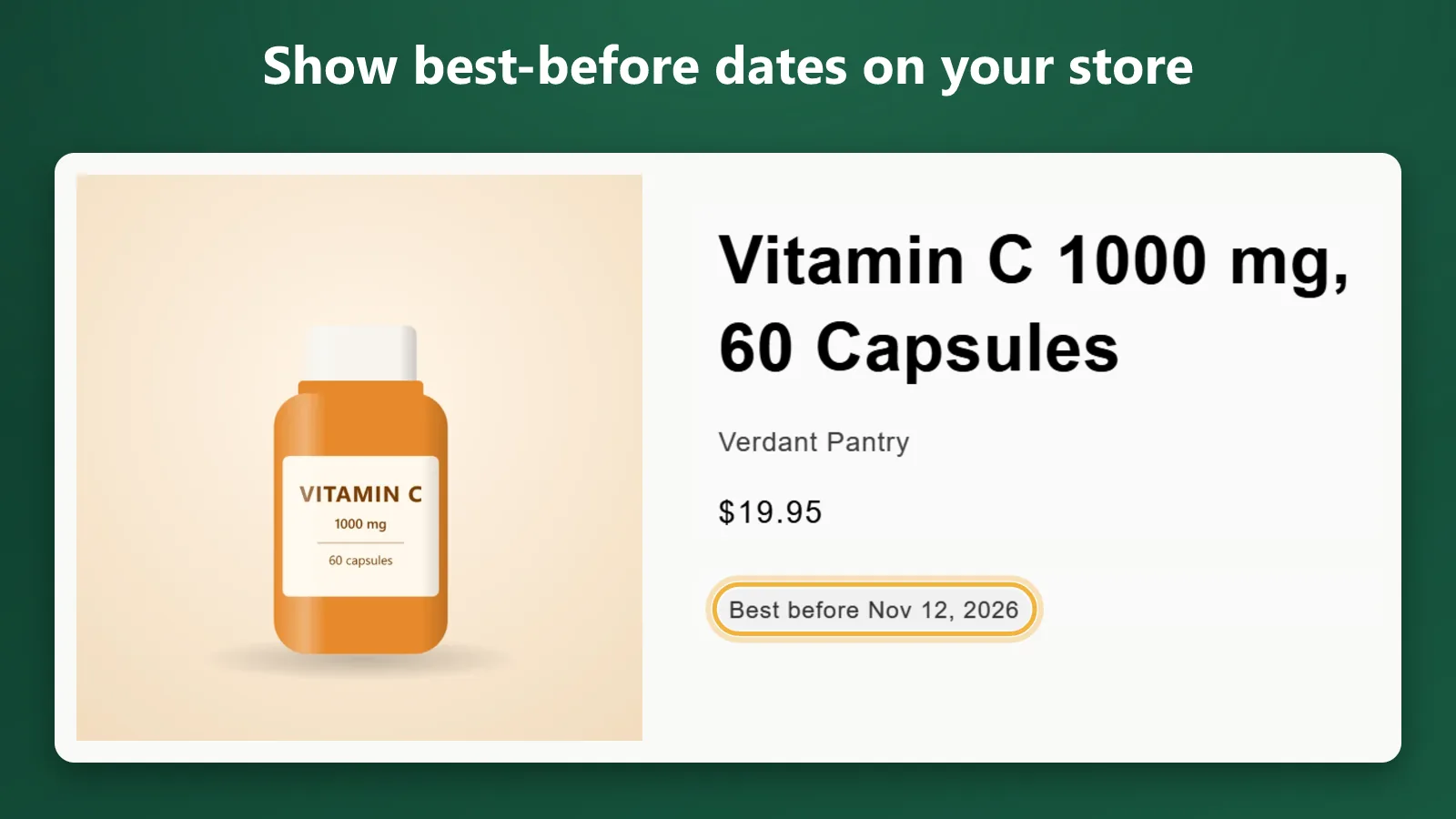
Show best-before dates on your store.
A theme block shows the next lot's "Best before" date on the product page and updates when the shopper picks another variant.
Also included
- CSV import and export
- A Shopify Flow trigger ("Lot expiring soon")
- Sidekick answers to "what is expiring this week?"
- Email digests
Start free. Upgrade when it pays for itself.
Billed through Shopify. 14-day free trial on paid plans.
Free
$0
- 25 active lots
- Money at risk dashboard
- FEFO allocation
- CSV import and export
- Storefront badge
Growth
$19/month
- Unlimited lots
- Recovery rules with margin floor
- Recovered revenue
- Last chance deals collection
- Email digests
Pro
$49/month
- Everything in Growth
- Multi-location lots
- Recall and quarantine
- Shopify Flow trigger
- Sidekick answers
Does Expiry Saver change my prices?
Only through markdowns you approve, or an automatic rule you turn on. Markdowns are native Shopify automatic discounts and never go below your margin floor.
Does a markdown apply to the whole product?
Shopify applies discounts per variant, so while a lot is marked down, every unit of that variant sells at the lower price. Expiry Saver ships the short-dated lot first, so this only matters when a variant has several lots at once.
Do markdowns work at POS?
No. Shopify only applies automatic discounts at POS when they are limited to specific customers or markets. Expiry Saver keeps its markdowns open to every online buyer, including guests. FEFO allocation does work for POS orders.
Do I have to change how I manage inventory?
No. Shopify stays the source of stock quantities. Expiry Saver adds lots on top, and a daily check flags any difference so you can fix it with one click.
Can I import my existing batches?
Yes. Download the CSV template, fill in SKU, lot code, expiry date and quantity, and import. Rows with errors are listed and skipped.
Does it work with multiple locations?
Yes, on the Pro plan. Lots can be pinned to a location, and orders take stock from lots at the location that fulfills them.
Does Expiry Saver store my customers' data?
No. It stores order references, quantities and prices, never customer names, emails, phone numbers or addresses. Recall lists link to each order in Shopify.
What happens if I uninstall?
Your data is deleted 48 hours after uninstall, so a quick reinstall keeps your lots. Shopify revokes the app's access at uninstall, so delete any remaining "Last chance" discounts in your Shopify admin.
Who makes Expiry Saver?
Nomou, a Shopify app studio. Contact [email protected].
Stop writing off expired stock.
Install Expiry Saver and start free with up to 25 active lots.